LACIMA SpriteSheet — Sprite Sheets from Layers, and Layers Back from a Sheet
A downloadable tool for Windows and macOS
Both directions, in one panel.
Photoshop can make a sprite sheet if you are patient with guides, and it can’t take one apart at all. SpriteSheet does the two jobs in a couple of clicks, and it’s free.
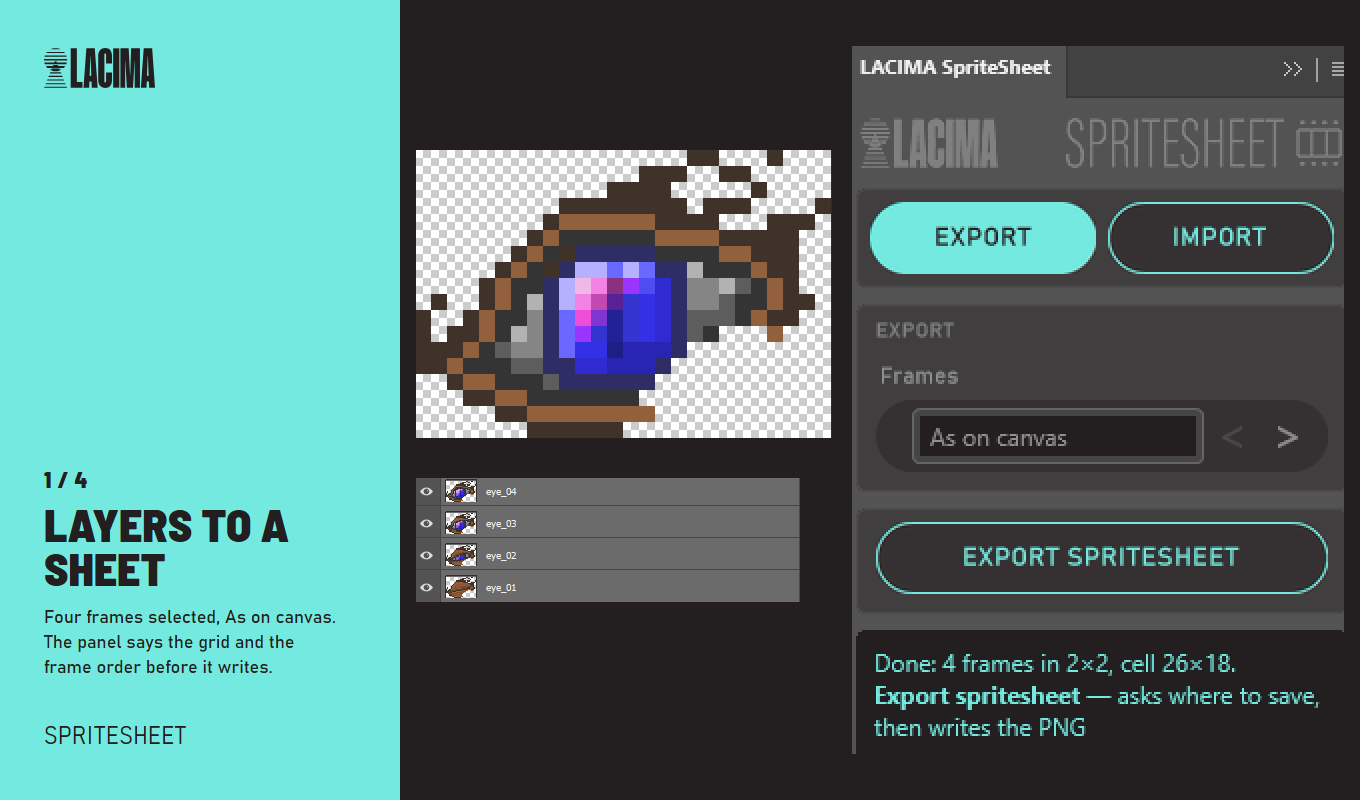
Layers to a sheet
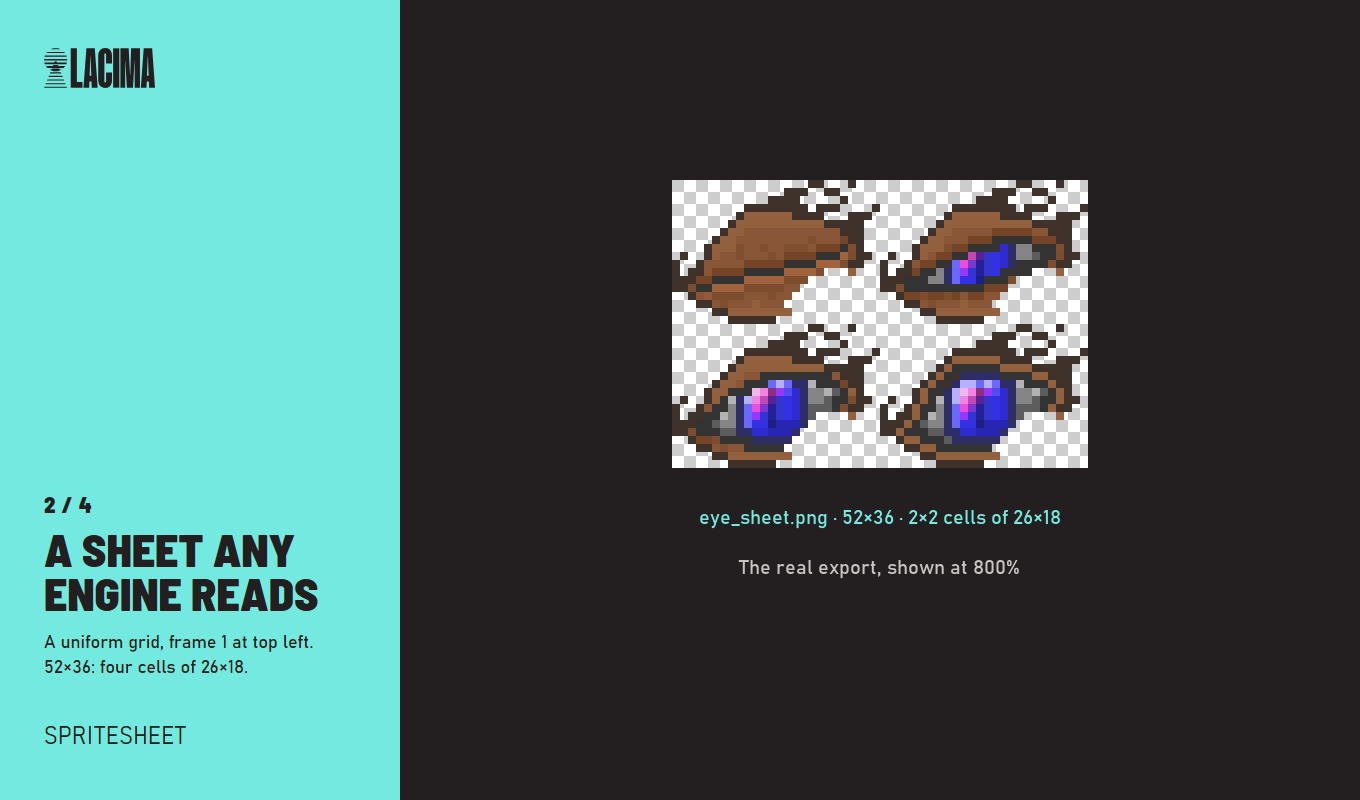
Select your frames and export. They’re laid out on a uniform grid, ordered by the number in the layer name, or bottom to top if there are no numbers.
Two ways to place each frame:
- As on canvas (default) — the cell is the size of your document, and every layer keeps its own size and position. This is the one that preserves registration between frames: an arm that moves 3 px in the PSD moves 3 px in the sheet.
- Trimmed — each frame cut to its pixels, centred horizontally and sat on the bottom of the cell. That’s the bottom-centre pivot Unity and Godot expect.
Three details that make “exactly the layers I have” true: empty layers stay empty frames, so your timing doesn’t shift; pixels hanging outside the canvas are masked to their cell instead of bleeding into the next one, and the panel tells you when that happened; your document is never modified.
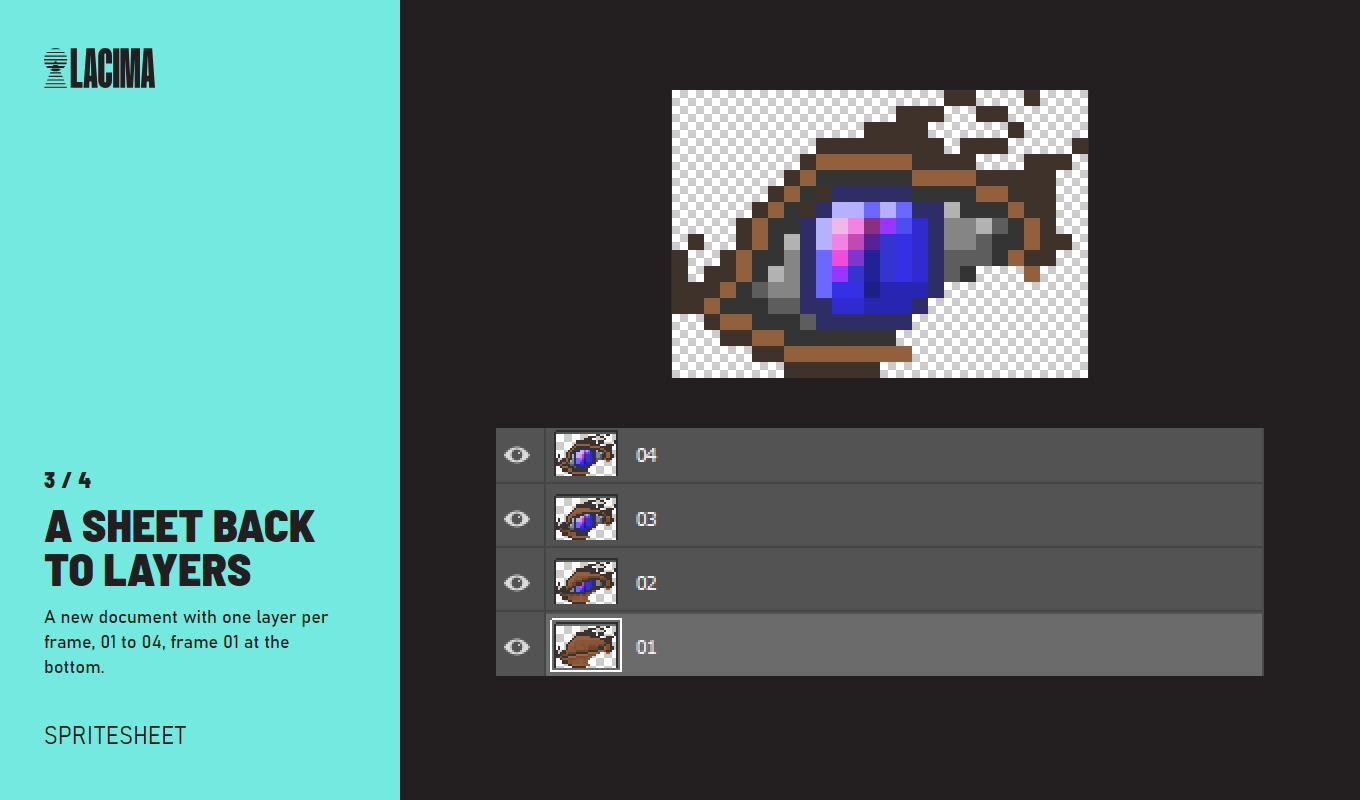
A sheet back to layers
Drop a sheet on the panel and get one layer per frame, named 01, 02, 03…, with frame 1 at the bottom of the stack, ready to scrub with the animation timeline.
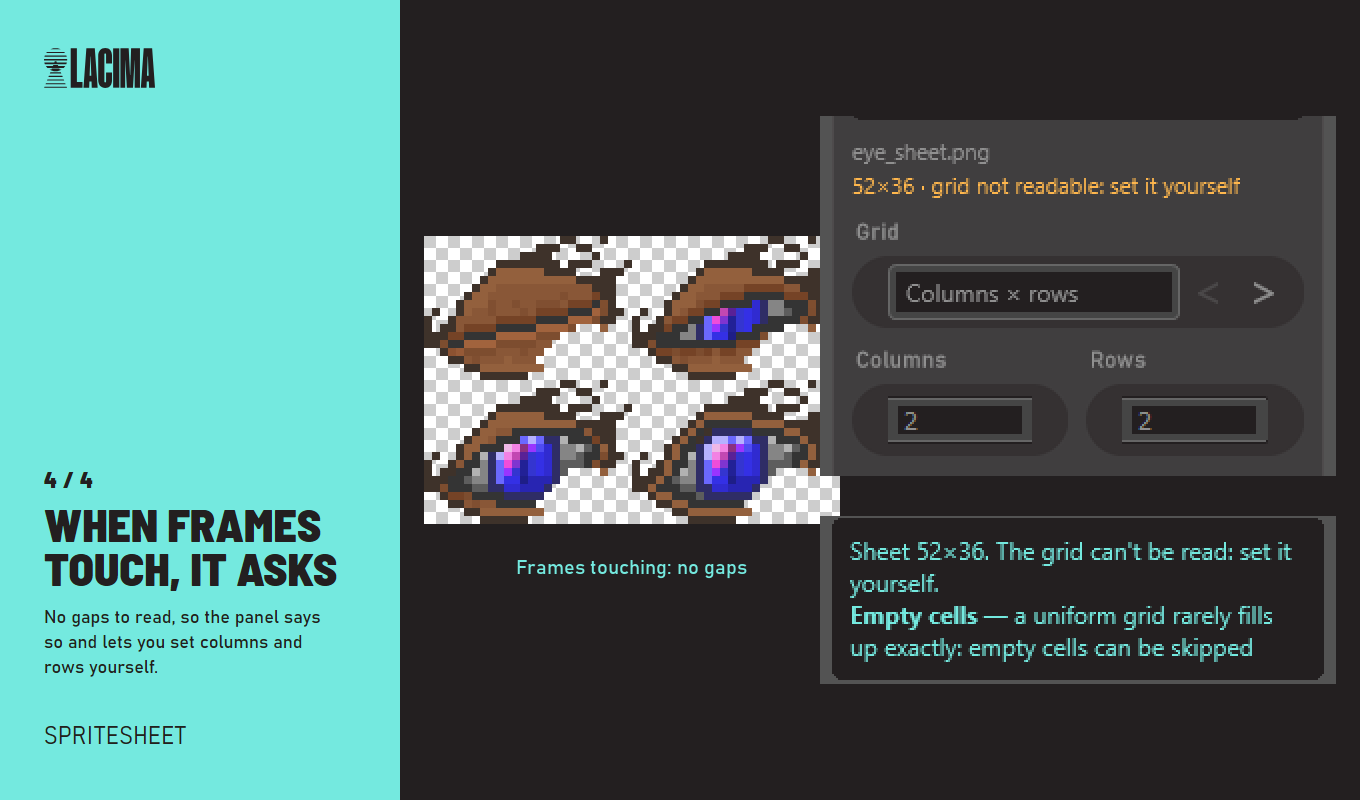
The grid is read for you, from the gaps between frames. If the frames touch each other there are no gaps to read, and that can’t be solved by guessing, so the panel says so and asks you for the grid instead: columns and rows, or the cell size in pixels. Empty cells can be skipped.
Requirements
- Adobe Photoshop 2023 (v24.0) or later, with Creative Cloud installed
- Dragging a file from the desktop onto the panel needs Photoshop 2026, the version where UXP panels can receive dropped files. On 2023 to 2025 the panel’s click-to-pick button does the same job.
- Windows and macOS: download the file for your system (the macOS one ends in _macOS.zip). Tested on Photoshop 2026 on Windows; not tested on a Mac yet. On a Mac and something doesn't work? Write to hello@lacimatools.com and we sort it out.
- Panel available in 10 languages (English, Italian, German, French, Spanish, Portuguese, Japanese, Korean, Chinese, Russian), picked from your Photoshop language.
Free
No key, no account, nothing to activate. Use it in commercial work.
If it saves you time, there are two paid ones
- NineSlicer — scale UI panels and frames to any size with corners that stay crisp, the way game engines do it.
- SpriteExporter — batch-export layers and groups as PNG, keeping canvas size and position so the files stay aligned with each other.
Both together cost less in the LACIMA Photoshop Tools bundle.
Who’s behind this
I’m Francesco Clemente. I design UI and write sound and music for games, including Placid Plastic Duck Simulator, Placid Plastic Deck, Starsand, Lootborne and Slowly Sliding Duck.
SpriteSheet exists because assembling animation frames by hand is the kind of work a computer should be doing. If something is missing or gets in your way, write to me.
Support: hello@lacimatools.com
Download
Click download now to get access to the following files:
Development log